Application messages
They appear in the Select language panel, in edit mode as well as view mode, whenever something is off with your macros - a message shows up there automatically, with no need to go looking for it. None of them blocks saving or publishing; they are signals, not errors.
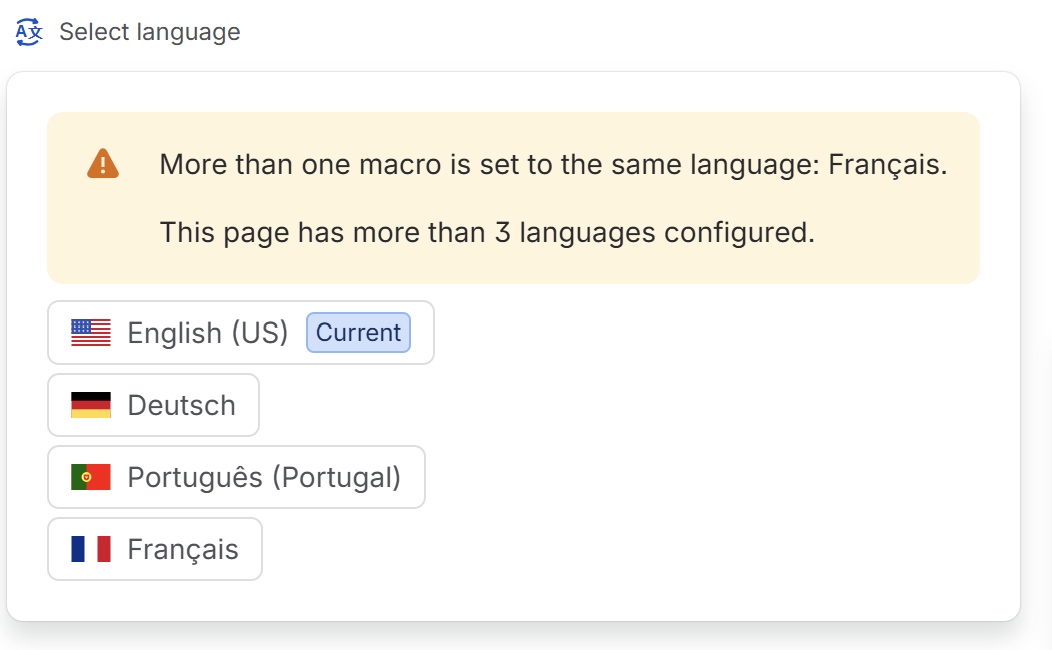
Every message the app can show, what it means, and what to do about it:
| Message | What is happening | What to do |
|---|---|---|
| A language macro has an unrecognized language | A macro's language is no longer among those offered. Nobody will see that macro. | Open its settings and pick a language from the list |
| More than one macro is set to the same language | Two macros share a language. Only one will show. | Change one of them, or delete the duplicate |
| More than one language is marked as the default | Several macros claim the default role. | Keep the setting on one only |
| A language macro has no content yet | A macro is empty. The reader concerned sees a page with nothing on it. | Write the translation, or remove the macro meanwhile |
| This page has more than 3 languages configured | A marker, not an error. | Nothing required - see whether all these languages belong on this page |